

How can I delete my personal data?
BACK TO TOP
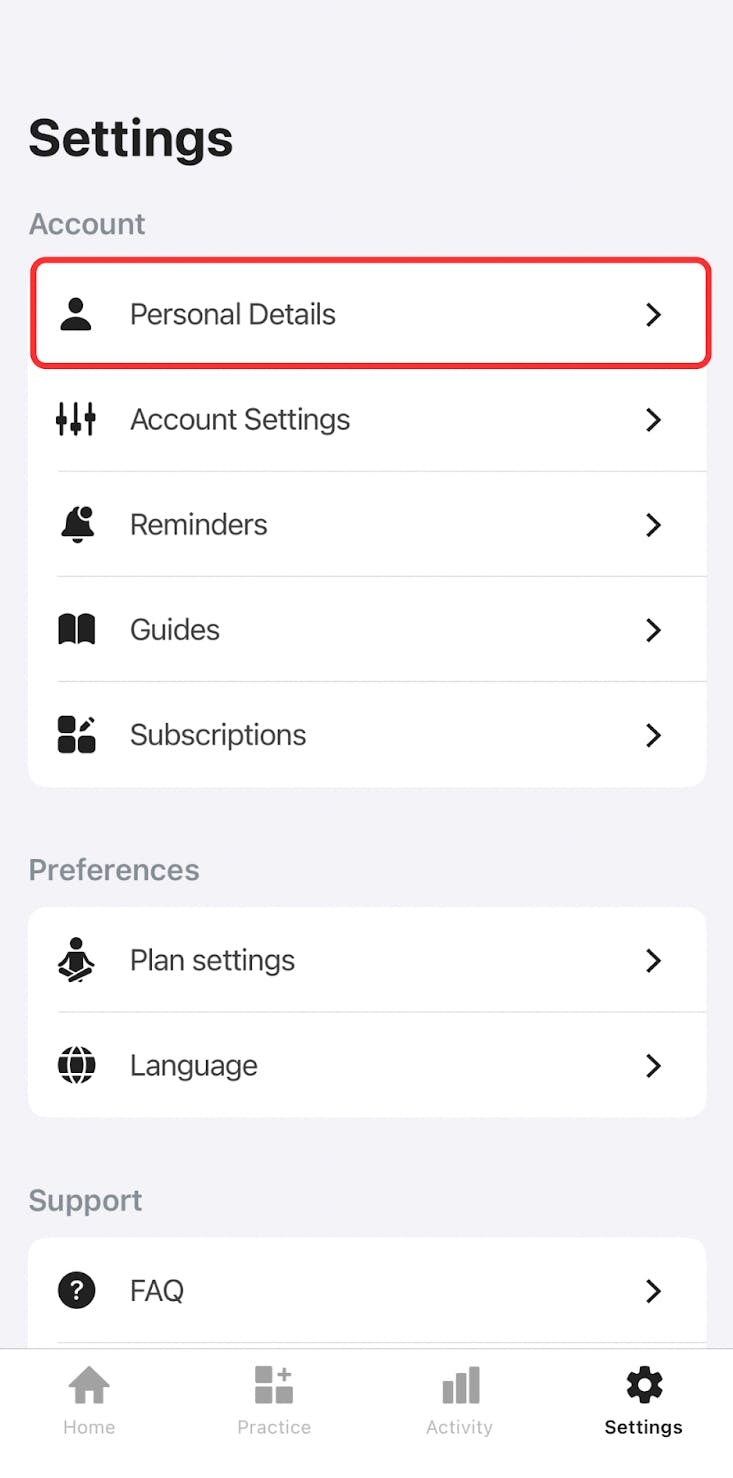
In order to delete your personal data, go to the Settings tab in the Yoga-Go app, and tap Personal Details.
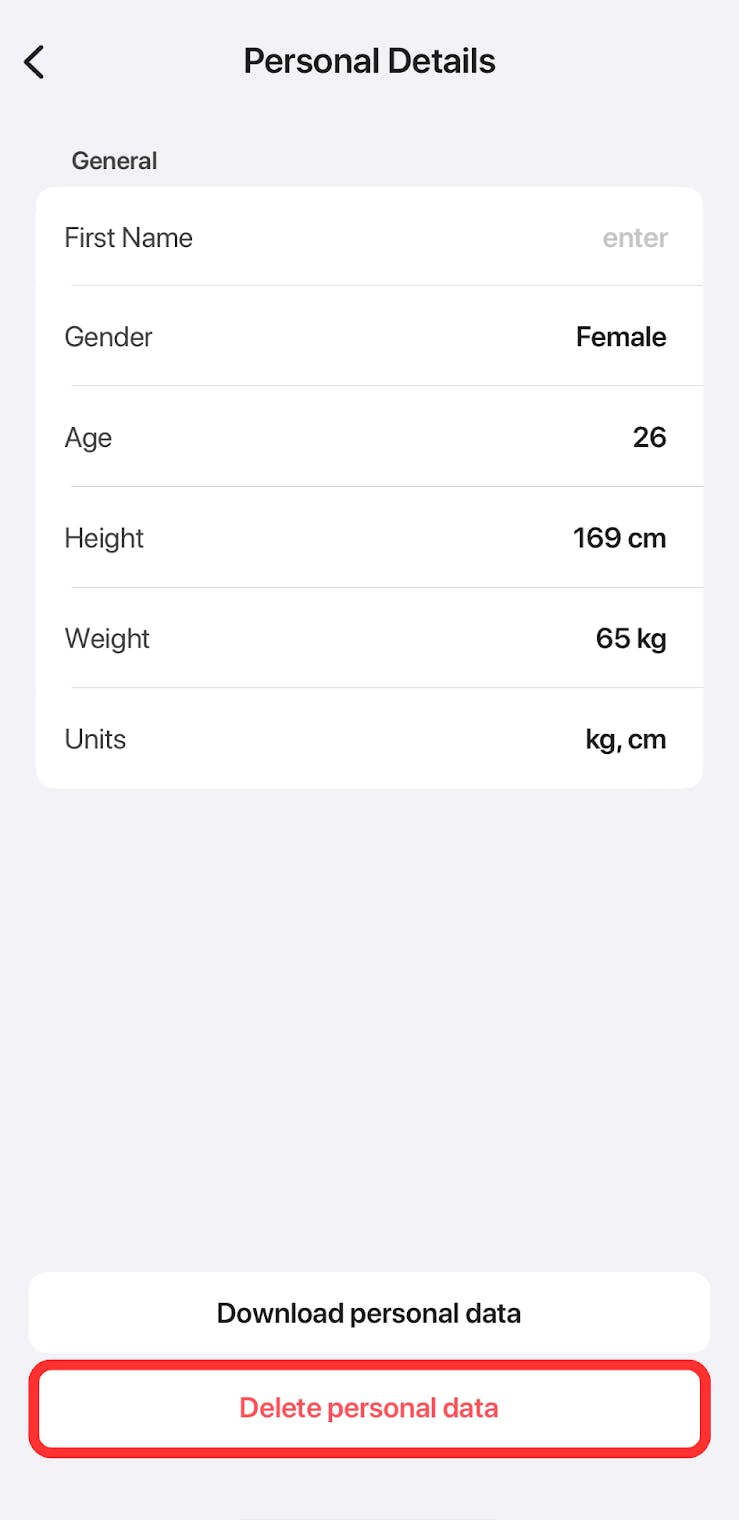
Tap the Delete personal data button.
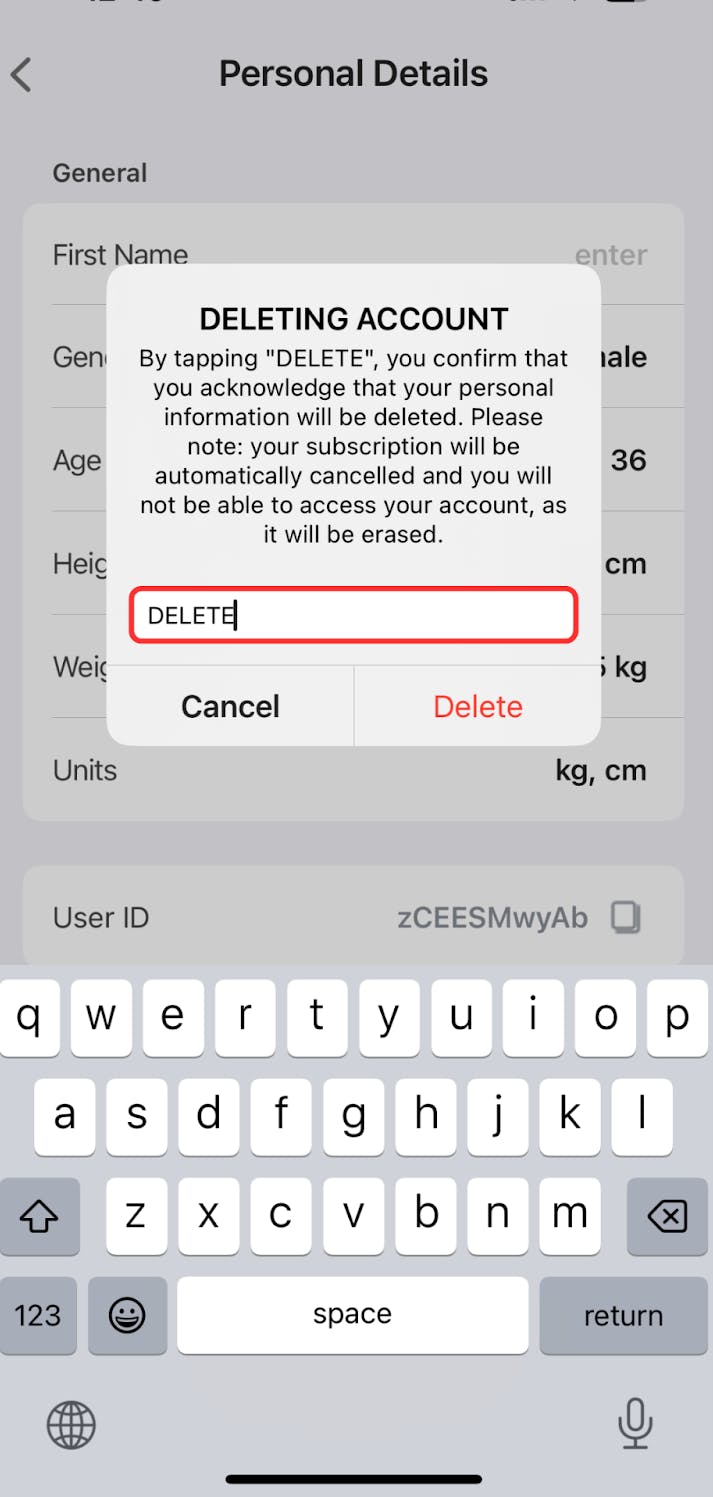
Confirm deletion by typing DELETE in the field to proceed.
Also, you can delete your account via Settings > Account Settings > Delete Account
Please note that once your user data (e.g., progress, settings) is deleted, it cannot be recovered.
The deletion of personal data will result in subscription cancellation. If you wish to continue using the Yoga-Go app until the end of the billing period, contact our support team for assistance in regaining access to the app.
You can also contact our support service with a request to delete your account via the Contact Us form.
