

How can I cancel my subscription?
BACK TO TOP
To cancel your subscription within the app, follow these instructions:
- Open the Settings tab.
- Tap Subscriptions.
- You will be redirected to your online account, where you’ll be able to view all of your current subscriptions and cancel them as needed.
To cancel your subscription on the website, follow these instructions:
- Log in to your account using this link.
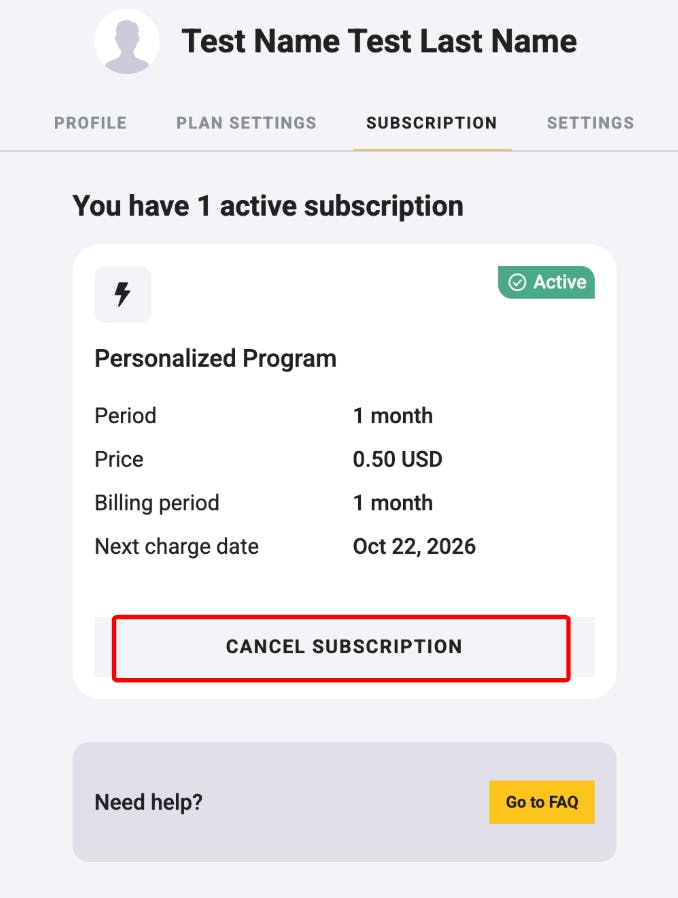
- Go to the Subscription section.
View your current plan and select Cancel Subscription.
Please make sure to cancel at least 24 hours before your next billing date to avoid being charged for the next cycle.
If you need additional help, you can also reach out to our support team using the Contact Us form — we’ll be happy to assist.
